API & TRADING NETWORKS

GEMFIND DIAMOND LINK

GemFind logo with black icon and gray uppercase text
Supporting this platforms:
Magento 2 logo
wordpress - logo
Shopify logo

Add MID tO your Gemfind Diamond Link in 5 easy steps:

*If you don’t have an account with GemFind, please call 949-752-7710 to sign up. You will receive 10% off if you mention you were referred by MID House Of Diamonds.

PLEASE WATCH THE FOLLOWING TUTORIAL AND THEN FOLLOW THE 5 STEPS LISTED BELOW:

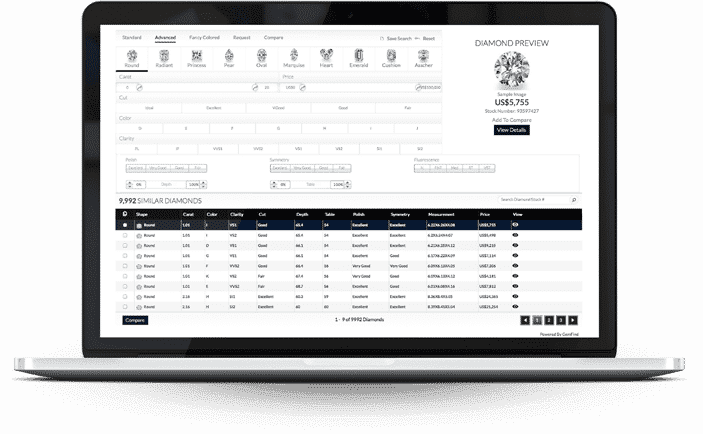
Laptop screen showing imported diamond inventory list with details
JewelCloud login screen prompting GemFind account credentials
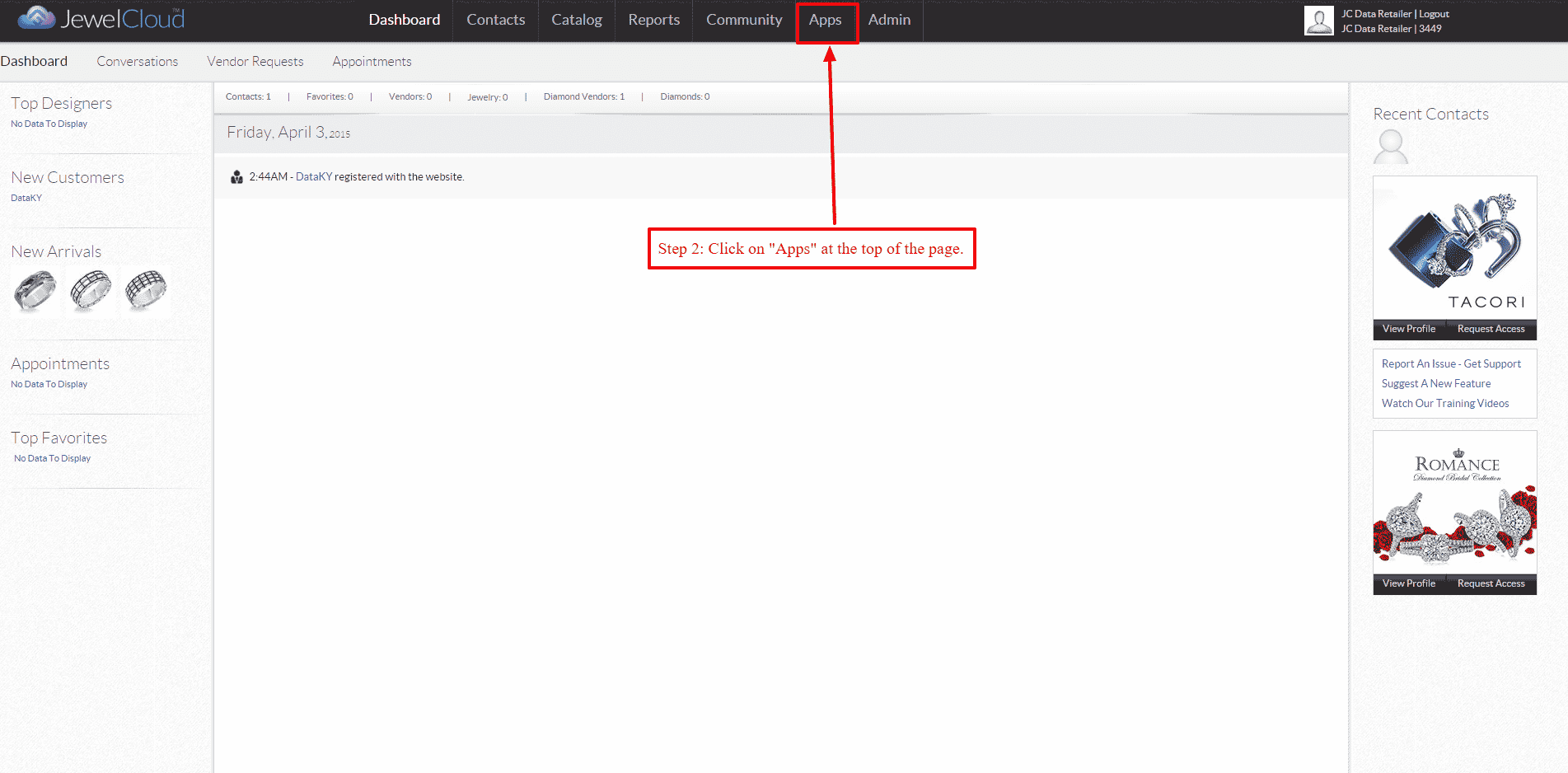
STEP 1 – Log into your GemFind JewelCloud account at www.jewelcloud.com STEP 2 – Once logged into your account, navigate to “Apps” on the top.
JewelCloud apps page with Diamond Link icon highlighted
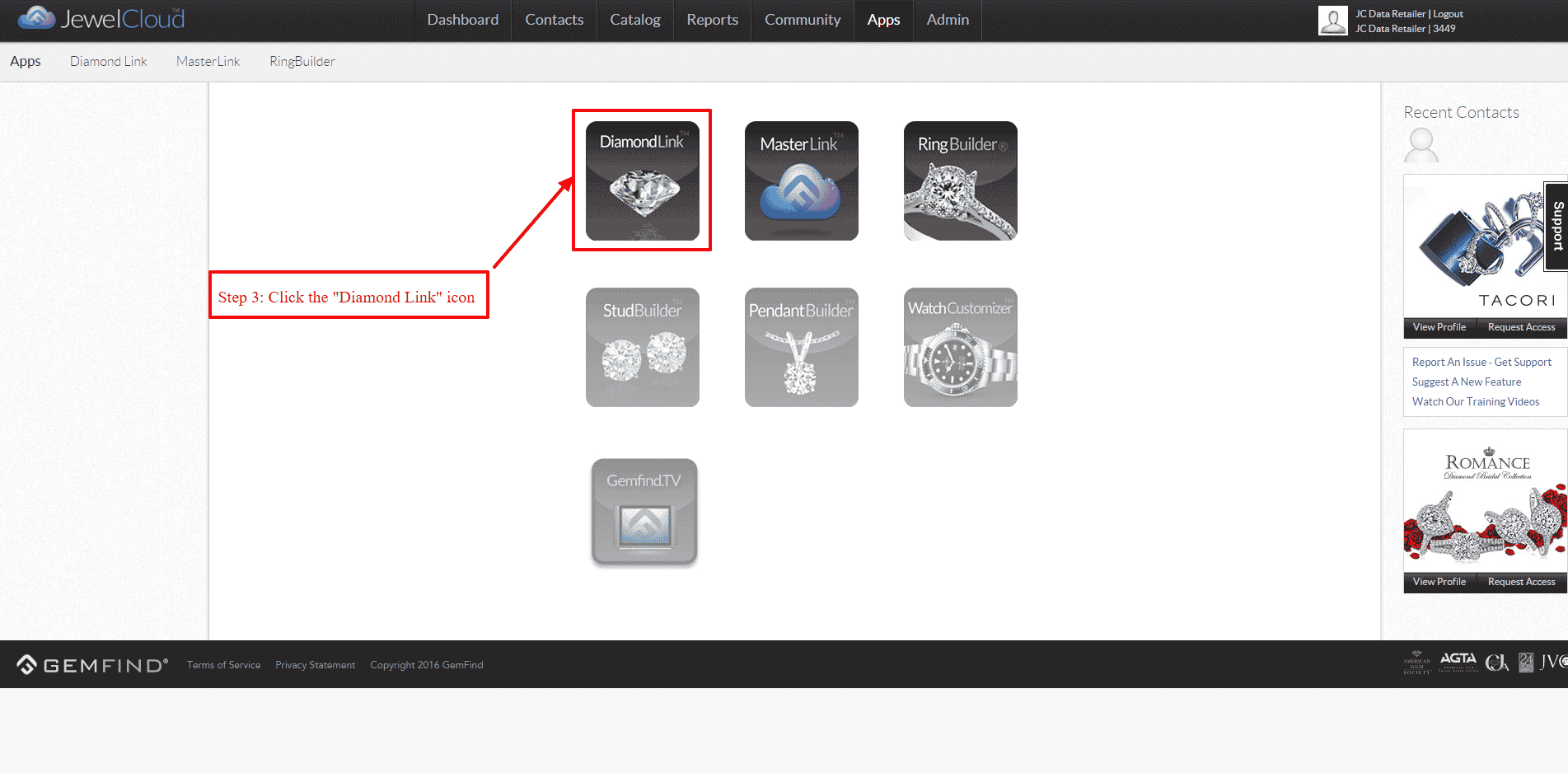
STEP 3 – Select the “Diamond Link” icon.
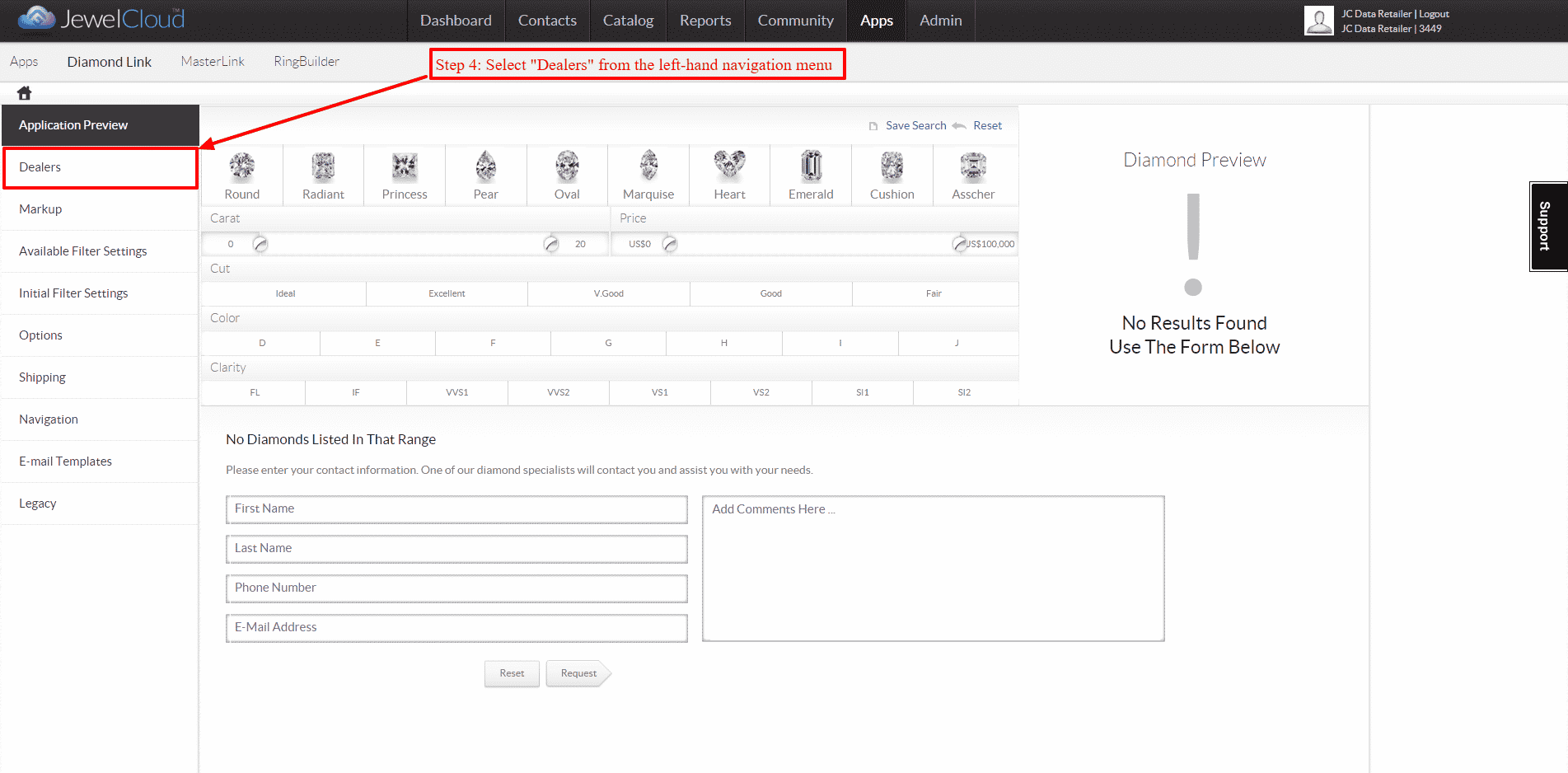
JewelCloud Dealers section with navigation menu and preview panel
STEP 4 – On the left-hand navigation, select “Dealers”.
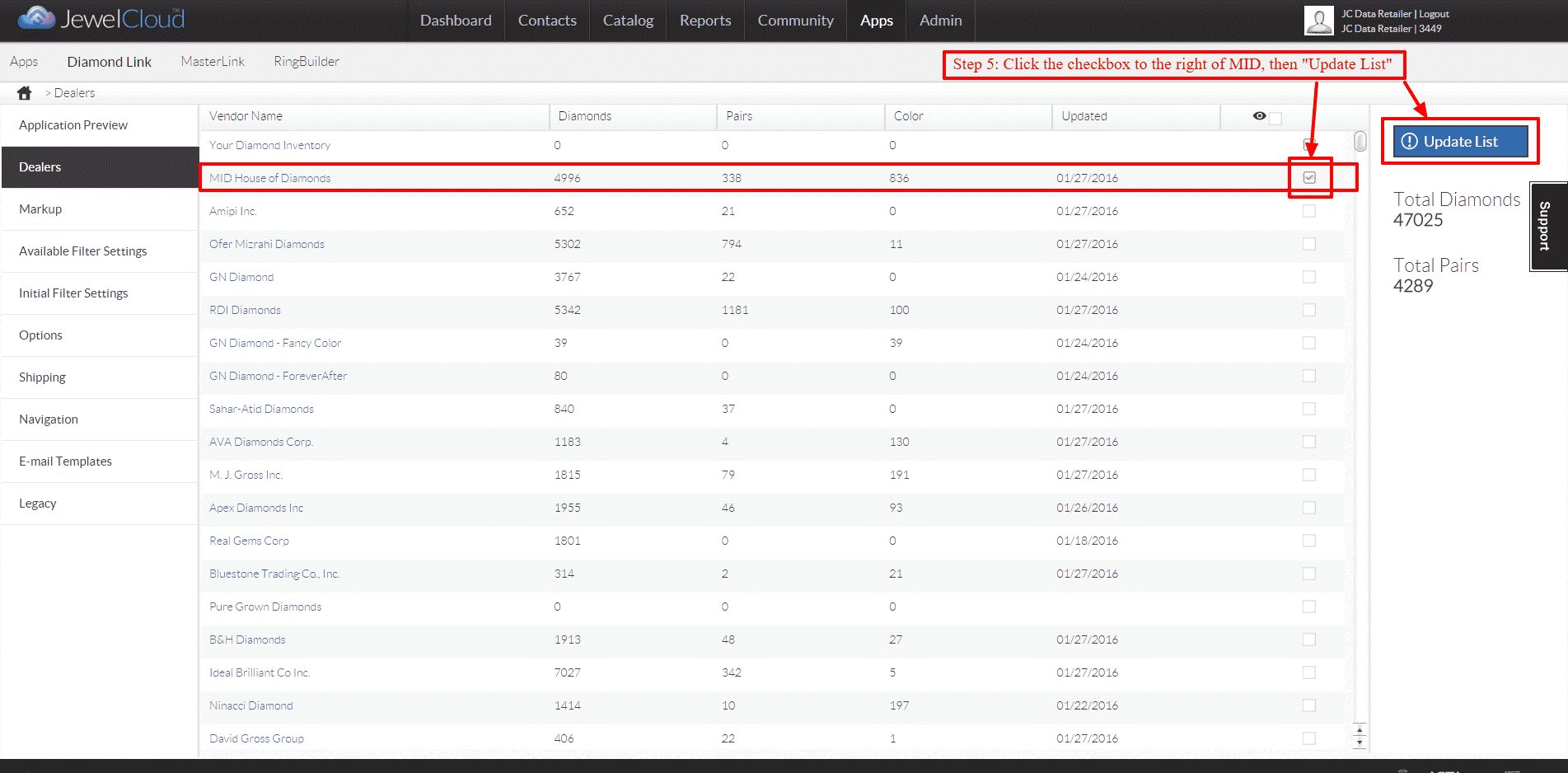
Dealers table with MID House of Diamonds checked and Update List button.
STEP 5 – Check the box to the far right of “MID House of Diamonds”, then click “Update List” and you are all set!

READY TO TRADE?

Work with the World's
Natural Diamond House

Access MID inventory through your preferred trading network — or reach our team directly across all time zones.

Search