API & TRADING NETWORKS

GEMFIND DIAMOND LINK

GemFind logo with black icon and gray uppercase text
Supporting this platforms:
Magento 2 logo
wordpress - logo
Shopify logo

Add MID tO your Gemfind Diamond Link in 5 easy steps:

*IfΒ you don’t have an account with GemFind, please callΒ 949-752-7710Β to sign up. You will receive 10% off if you mention you were referred by MID House Of Diamonds.

PLEASE WATCH THE FOLLOWING TUTORIALΒ AND THEN FOLLOW THE 5 STEPS LISTEDΒ BELOW:

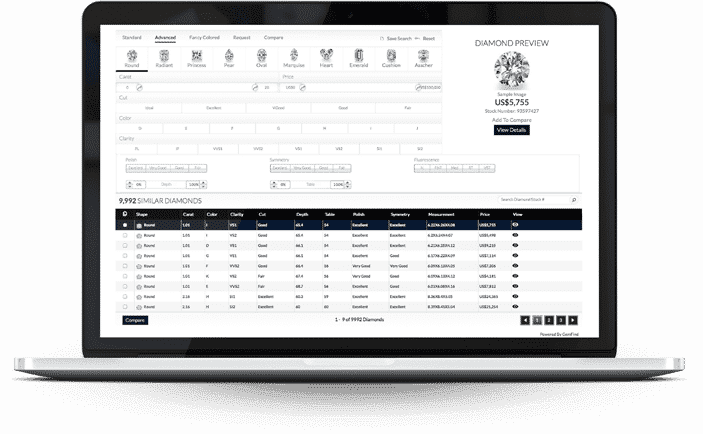
Laptop screen showing imported diamond inventory list with details
JewelCloud login screen prompting GemFind account credentials
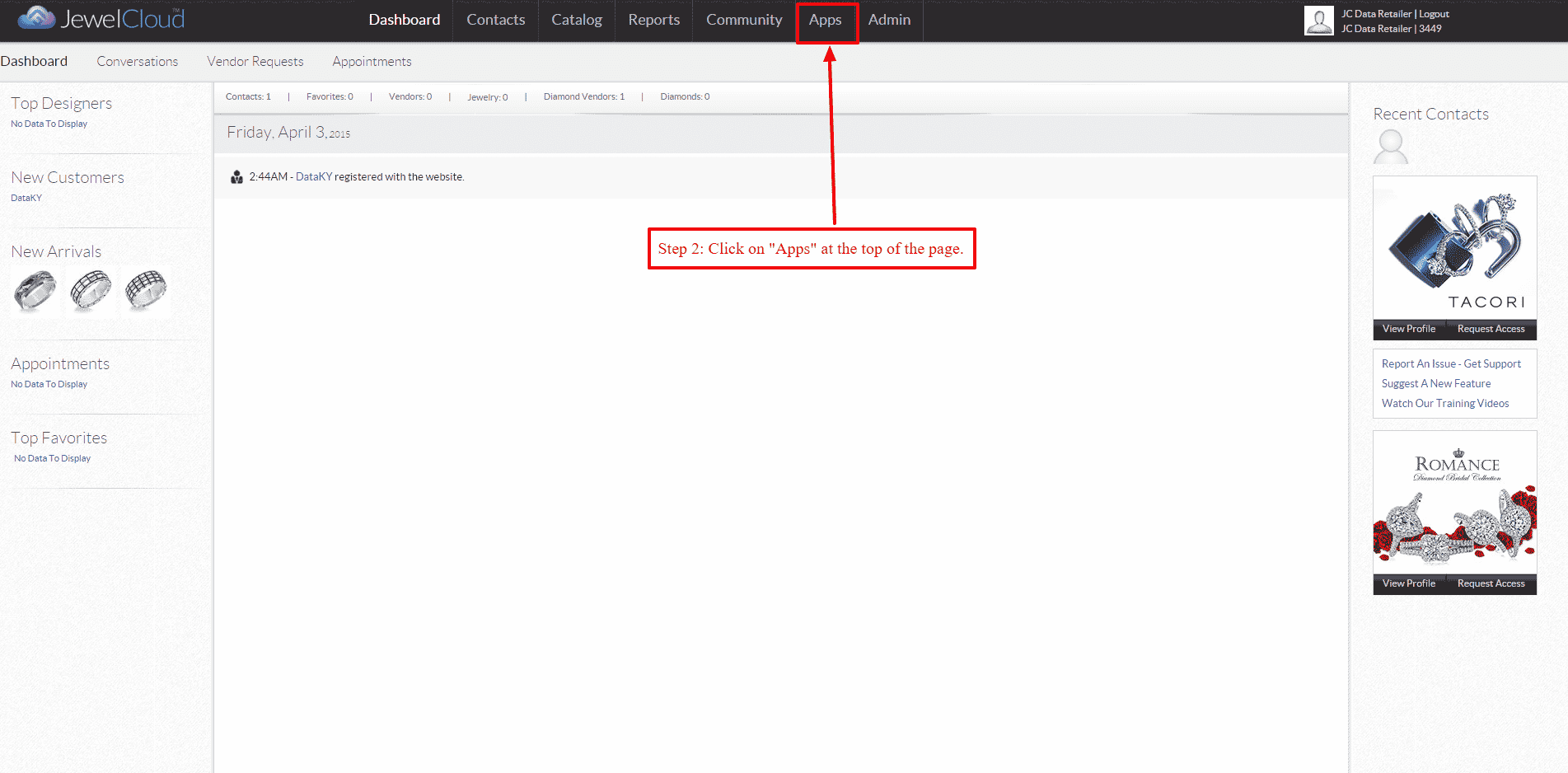
STEP 1 – Log into your GemFind JewelCloud account at www.jewelcloud.com STEP 2 – Once logged into your account, navigate to β€œApps” on the top.
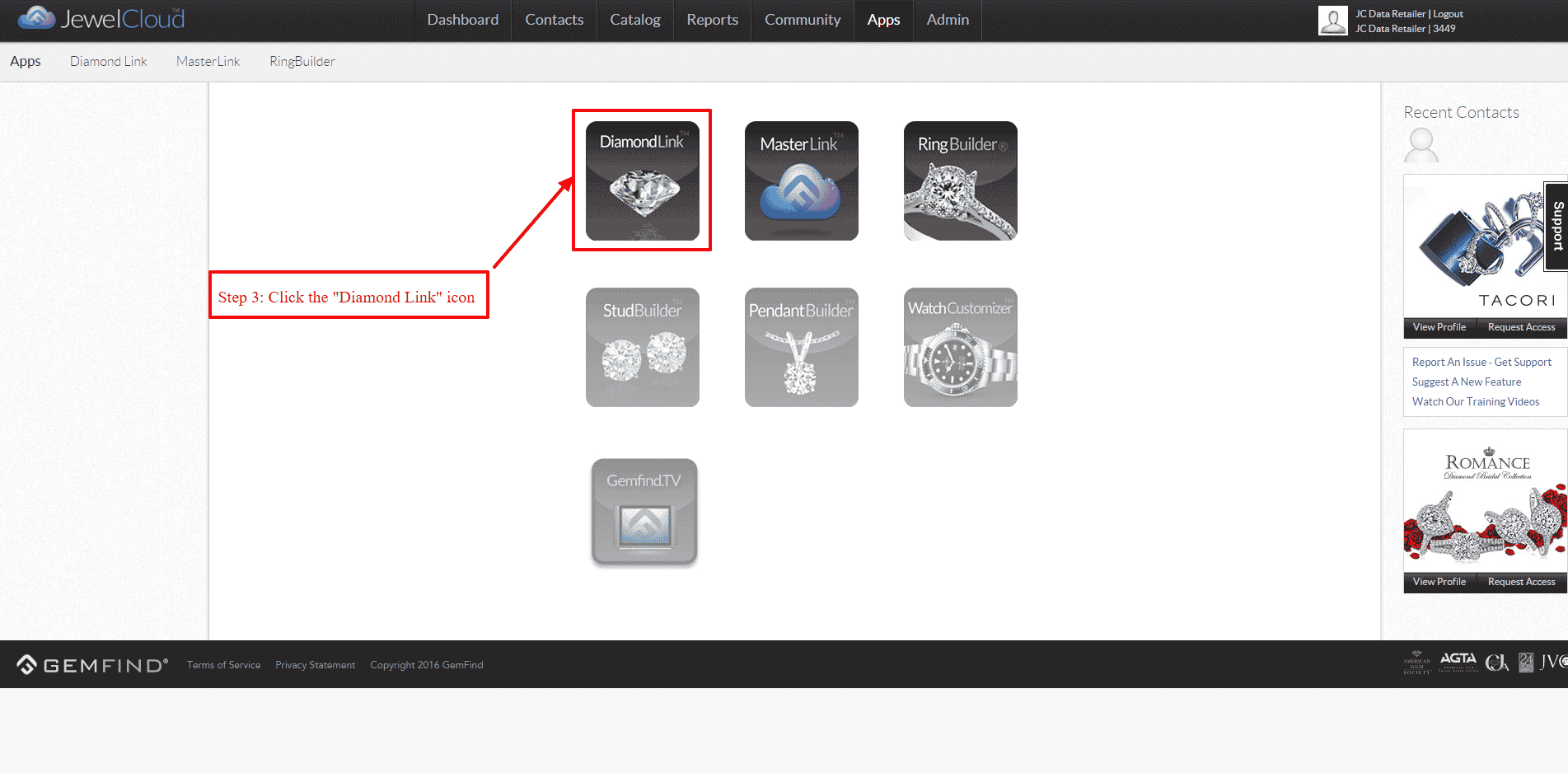
JewelCloud apps page with Diamond Link icon highlighted
STEP 3 – Select the β€œDiamond Link” icon.
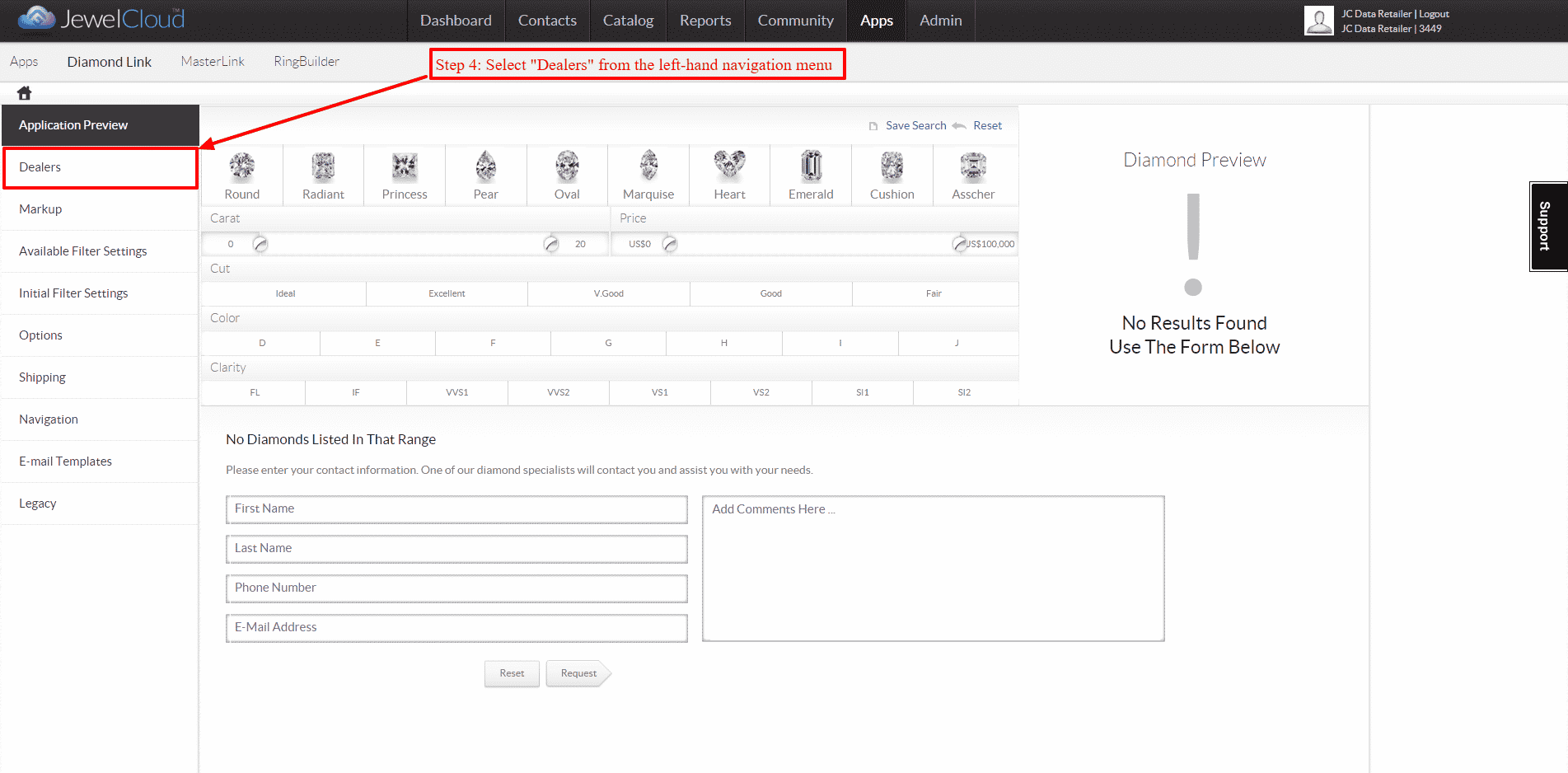
JewelCloud Dealers section with navigation menu and preview panel
STEP 4 – On the left-hand navigation, select β€œDealers”.
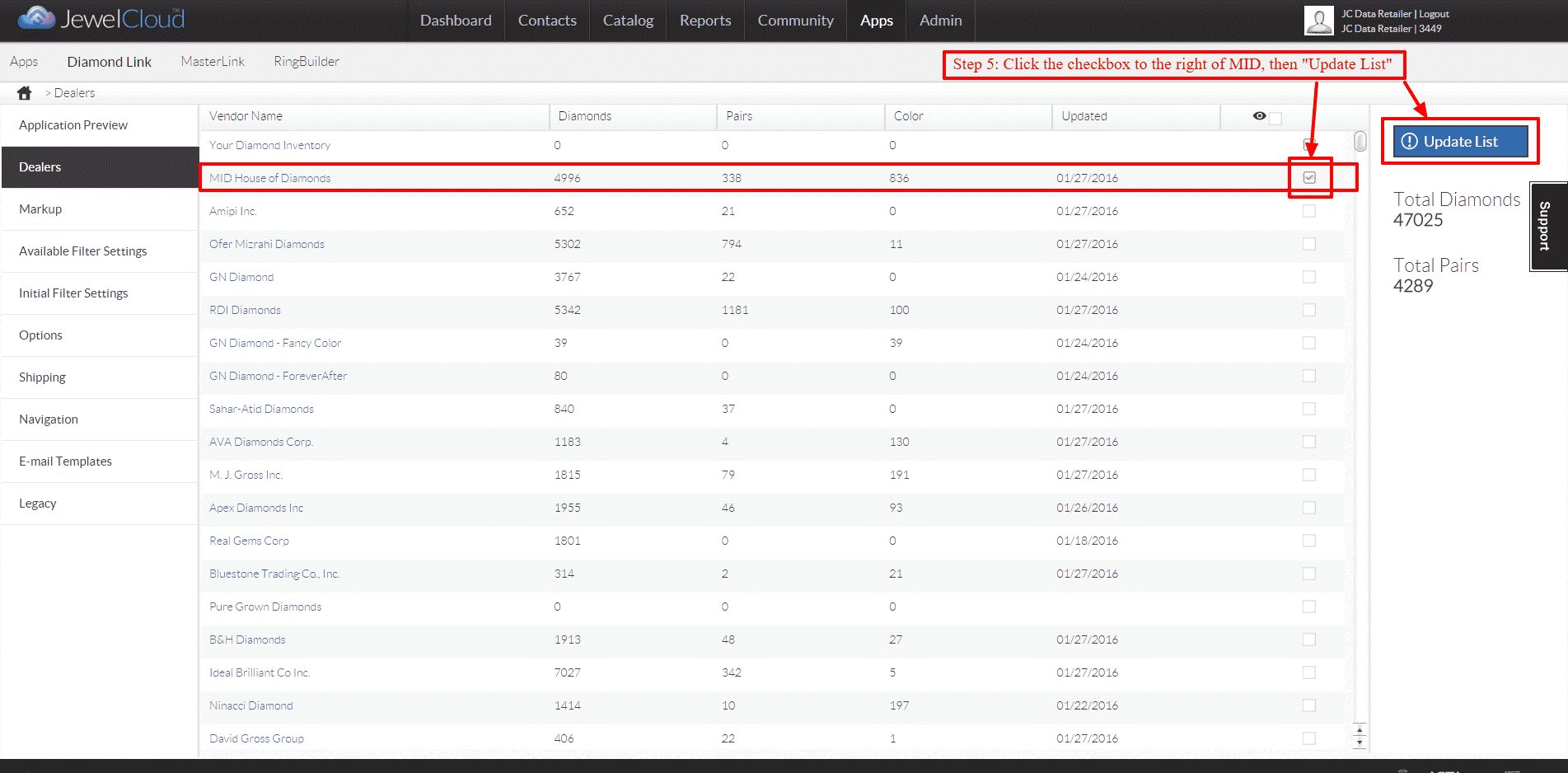
Dealers table with MID House of Diamonds checked and Update List button.
STEP 5 – Check the box to the far right of β€œMID House of Diamonds”, then click β€œUpdate List” and you are all set!

READY TO TRADE?

Work with the World's
Natural Diamond House

Access MID inventory through your preferred trading network — or reach our team directly across all time zones.

Search